> ## Documentation Index
> Fetch the complete documentation index at: https://docs.eigenai.com/llms.txt
> Use this file to discover all available pages before exploring further.
# Chatbot Interaction
> How you interact with EigenData-CLI through natural language to configure and run tasks.
EigenData-CLI adds a **chatbot layer** on top of the EigenData framework. Instead of writing prompts and configuring agents directly, you interact with a conversational interface that translates your natural-language requests into the prompts that drive the orchestration layer.
Every [core feature](/products/eigendata-cli/core-features/schema-polish) follows the same interaction pattern: **describe your task → guided parameter collection → review and confirm → execute**.
Every [core feature](/products/eigendata-cli/core-features/schema-polish) follows the same interaction pattern: **describe your task → guided parameter collection → review and confirm → execute**.
## Describe your task
Start by telling the CLI what you want to do in plain language:
```
eigendata> Generate 50 multi-turn function calling dialogs about laptop troubleshooting for HP support
```
The system analyzes your input and automatically extracts parameters like the domain, request description, sample count, and file paths. If you include enough detail, the system may have everything it needs in a single message.
## Guided parameter collection
If any required parameters are missing, the CLI asks for them conversationally. You respond in natural language, and the system extracts the relevant values from your reply:
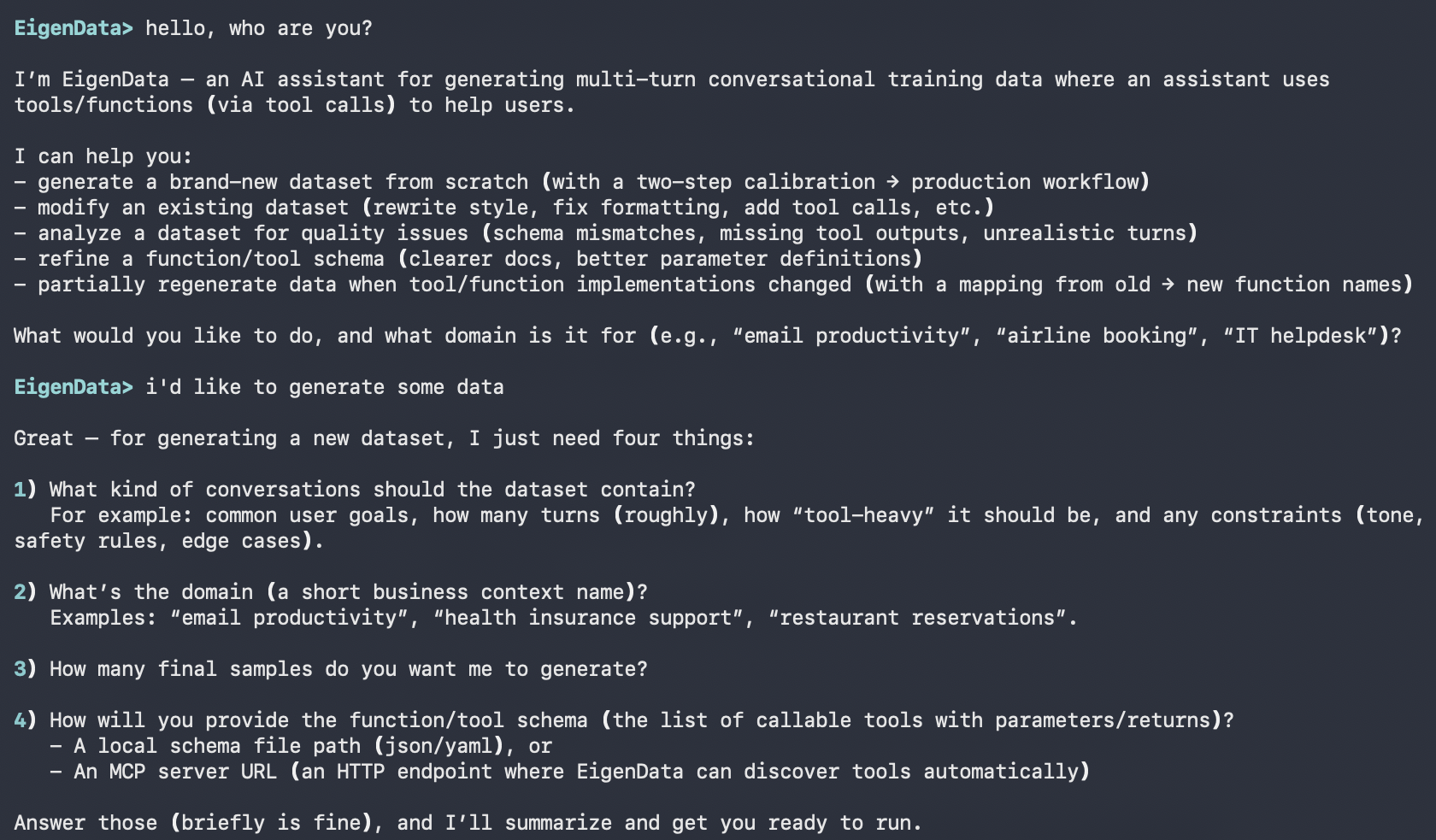 The conversation continues until all required parameters are collected. You can provide optional parameters like `reference_doc` or `data_language` at any point during the conversation.
## Review and confirm
Once all parameters are ready, the CLI displays a configuration summary with source annotations showing where each value came from, and presents an action menu:
The conversation continues until all required parameters are collected. You can provide optional parameters like `reference_doc` or `data_language` at any point during the conversation.
## Review and confirm
Once all parameters are ready, the CLI displays a configuration summary with source annotations showing where each value came from, and presents an action menu:
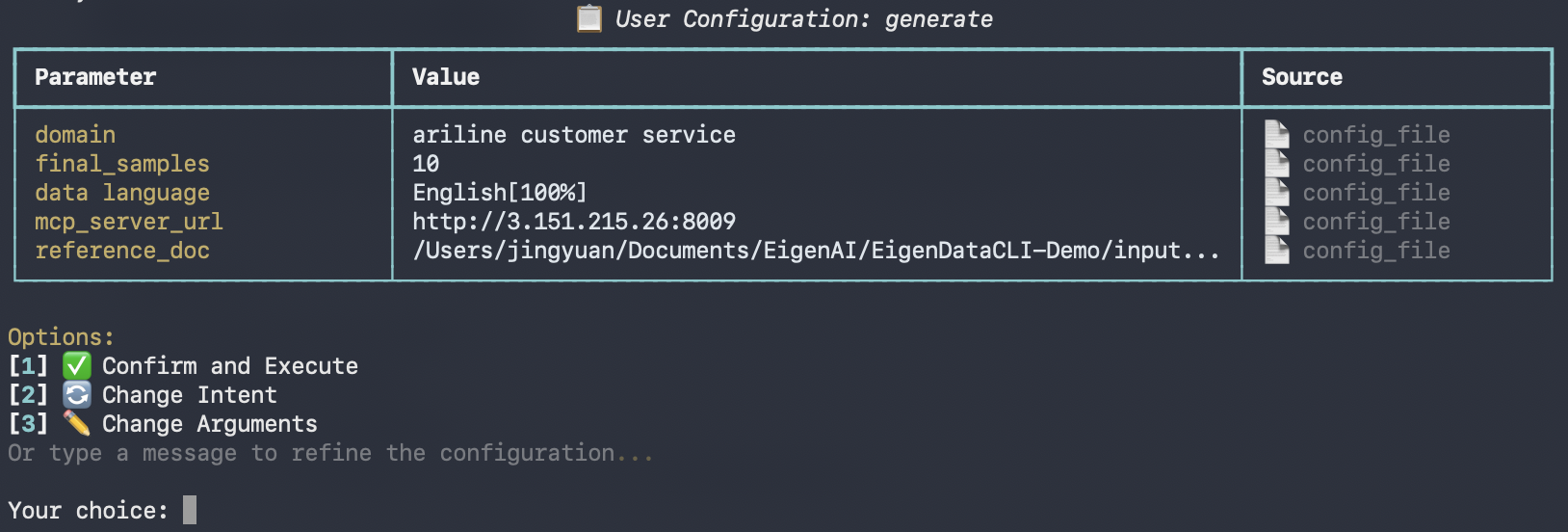 | Option | Description |
| ---------- | ------------------------------------------------- |
| `1` | Run the task with current configuration |
| `2` | Restart from scratch (pick a different task) |
| `3` | Edit individual parameters interactively |
| Text input | Type natural language to refine the configuration |
You can also run tasks non-interactively using the [`/execute`](/products/eigendata-cli/utility-commands/execute) command with a YAML configuration file, or manage settings with [`/configure`](/products/eigendata-cli/utility-commands/configure).
| Option | Description |
| ---------- | ------------------------------------------------- |
| `1` | Run the task with current configuration |
| `2` | Restart from scratch (pick a different task) |
| `3` | Edit individual parameters interactively |
| Text input | Type natural language to refine the configuration |
You can also run tasks non-interactively using the [`/execute`](/products/eigendata-cli/utility-commands/execute) command with a YAML configuration file, or manage settings with [`/configure`](/products/eigendata-cli/utility-commands/configure).